App GA4 Insights
App GA4 Insights is the analytics entry point for reviewing app performance from a connected GA4 property. It is useful when store work needs product-usage context, not only app-store acquisition signals.
When To Use It
Use App GA4 Insights when you need to:
- select a GA4 property for app analytics review.
- connect acquisition changes with engagement or usage context.
- prepare reporting that combines store and analytics signals.
- confirm whether the required analytics connection exists before analysis.
Before You Start
Prepare these inputs:
- GA4 property: choose the app GA4 property from the selector.
- Integration access: confirm the Google Analytics connection is available.
- Reporting question: decide whether you are checking acquisition, engagement, retention, or post-install quality.
Work Through The Page
- Open App GA4 Insights from Market Intelligence.
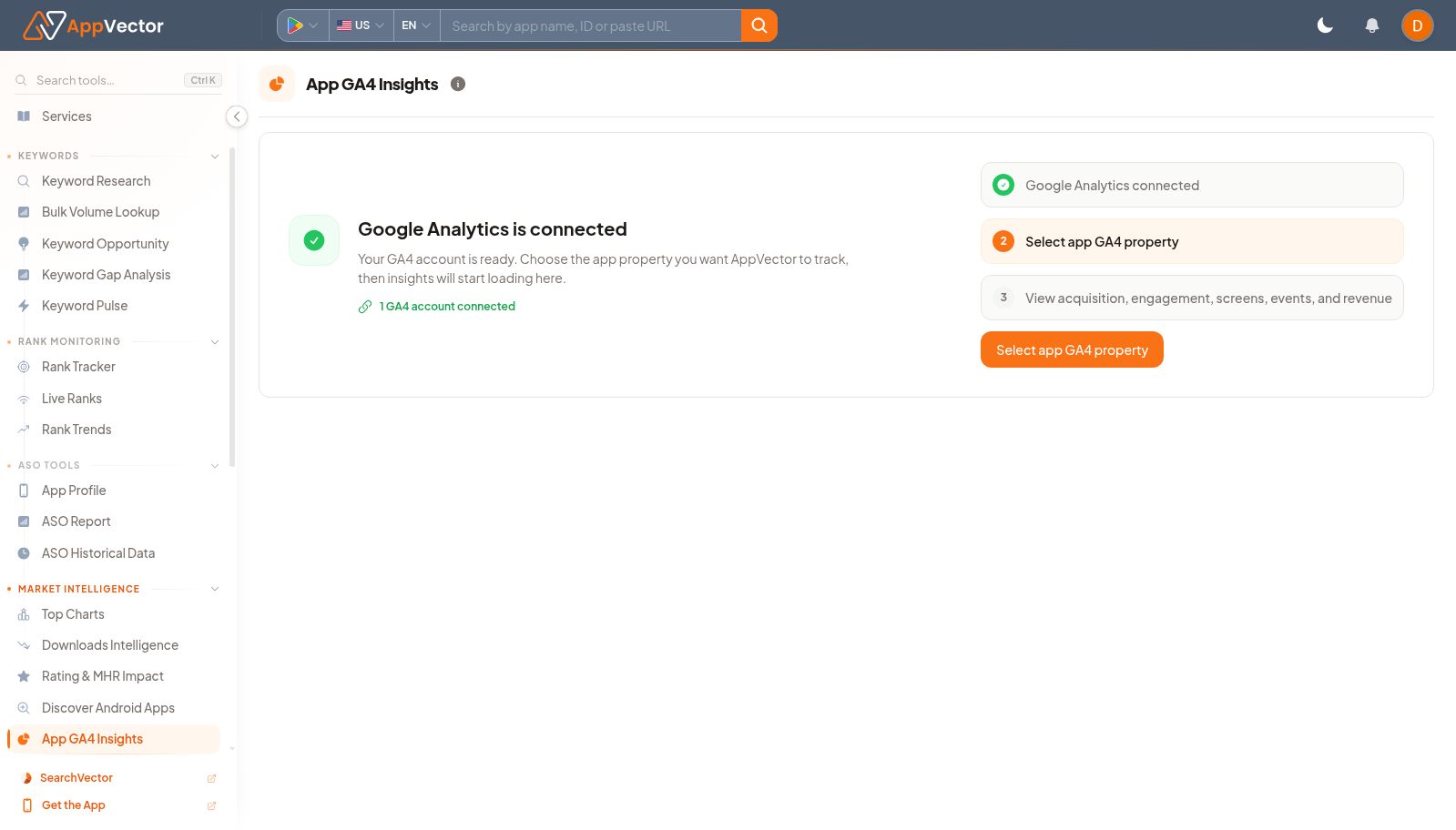
- Use Select app GA4 property to choose the analytics property.
- Wait for the connected analytics view to load.
- Review the available metrics in the context of recent app-store work.
- Use the result with AppVector store data when explaining whether acquisition changes created useful users.
Read The Results
Start by confirming the selected property. If no property is selected, the page is not ready for analysis. Once connected, treat GA4 data as post-install context that complements AppVector keyword, listing, and install signals.
Decide What To Do Next
- Open Integrations if the GA4 property is missing.
- Compare GA4 movement with Downloads Intelligence after campaigns or metadata changes.
- Use ASO Report for store-side optimization actions and GA4 for downstream validation.
- Document the property and date range used in any stakeholder report.
Tips
- Do not compare GA4 data to store data unless the date ranges and app context match.
- Use GA4 to qualify traffic quality, not to replace store-ranking analysis.