Integrations
Integrations is where external account connections are managed. Many AppVector workflows depend on these connections for analytics, Play Console, App Store, or advertising data.
When To Use It
Use Integrations when you need to:
-
check whether an integration is already connected.
-
start setup for a missing integration.
-
manage an existing connection.
-
import account or app data when supported
.
Before You Start
Prepare these inputs:
- Account access: sign in with an account allowed to connect the external service.
- Workflow need: know which product page requires the integration.
- Permission scope: confirm the external account permissions before connecting.
- Data owner: coordinate with the owner of the external account.
Work Through The Page
- Open Integrations from Settings.
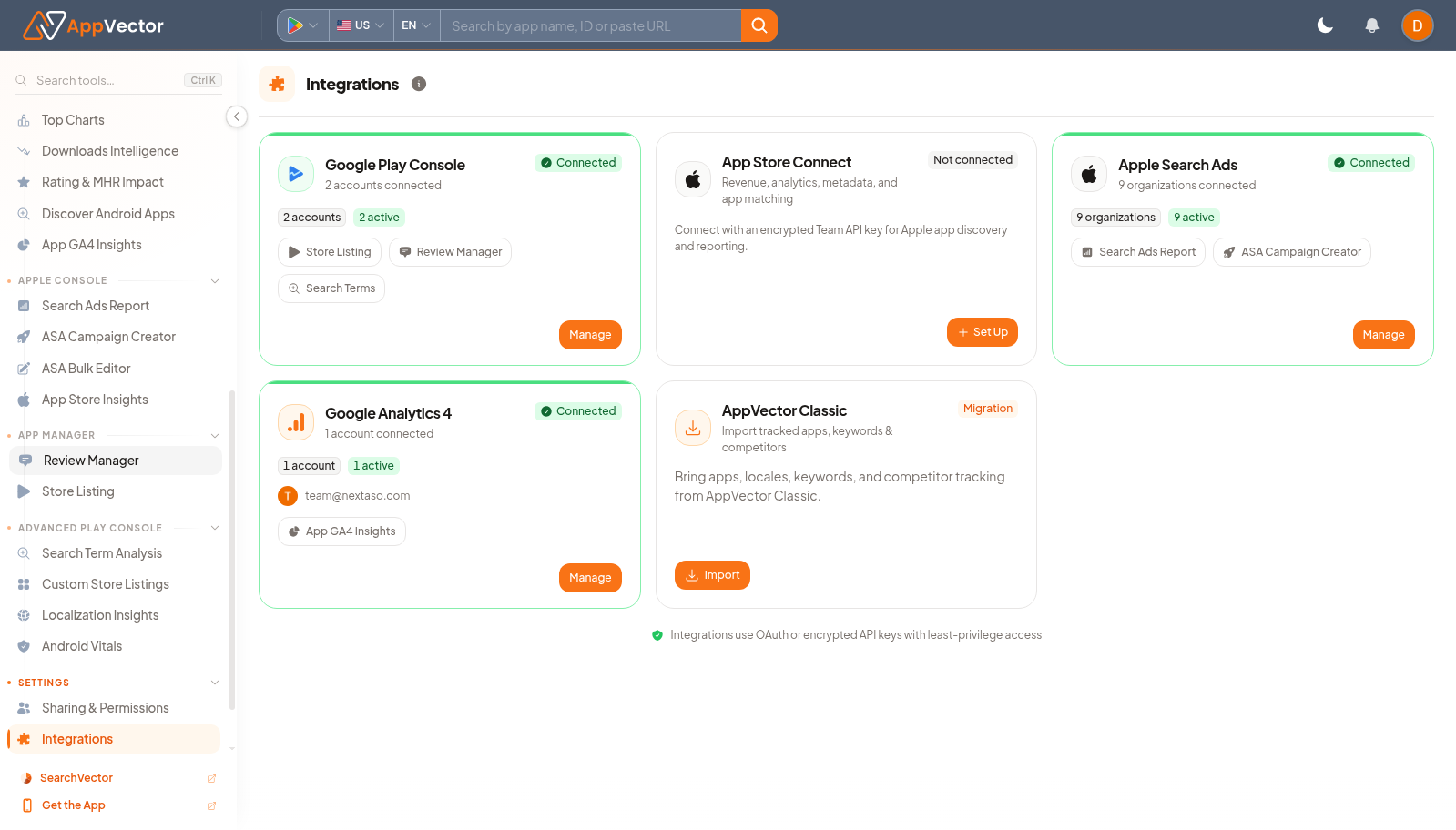
- Find the integration needed by your workflow.
- Use Set Up for a new connection.
- Use Manage for an existing connection.
- Use Import when the integration supports importing apps or account data.
Read The Results
Read each integration by action state. Set Up means work is still required, Manage means a connection exists, and Import means you can bring supported data into AppVector.
Decide What To Do Next
- Return to the product page that needed the integration.
- Open App GA4 Insights, App Store Insights, or Play Console pages after the connection is ready.
- Confirm imported apps appear on the Dashboard.
- Document who owns each connected account.
Tips
- Use the least-privileged external account that supports the workflow.
- Do not connect personal accounts when a shared business account should be used.