Top Charts
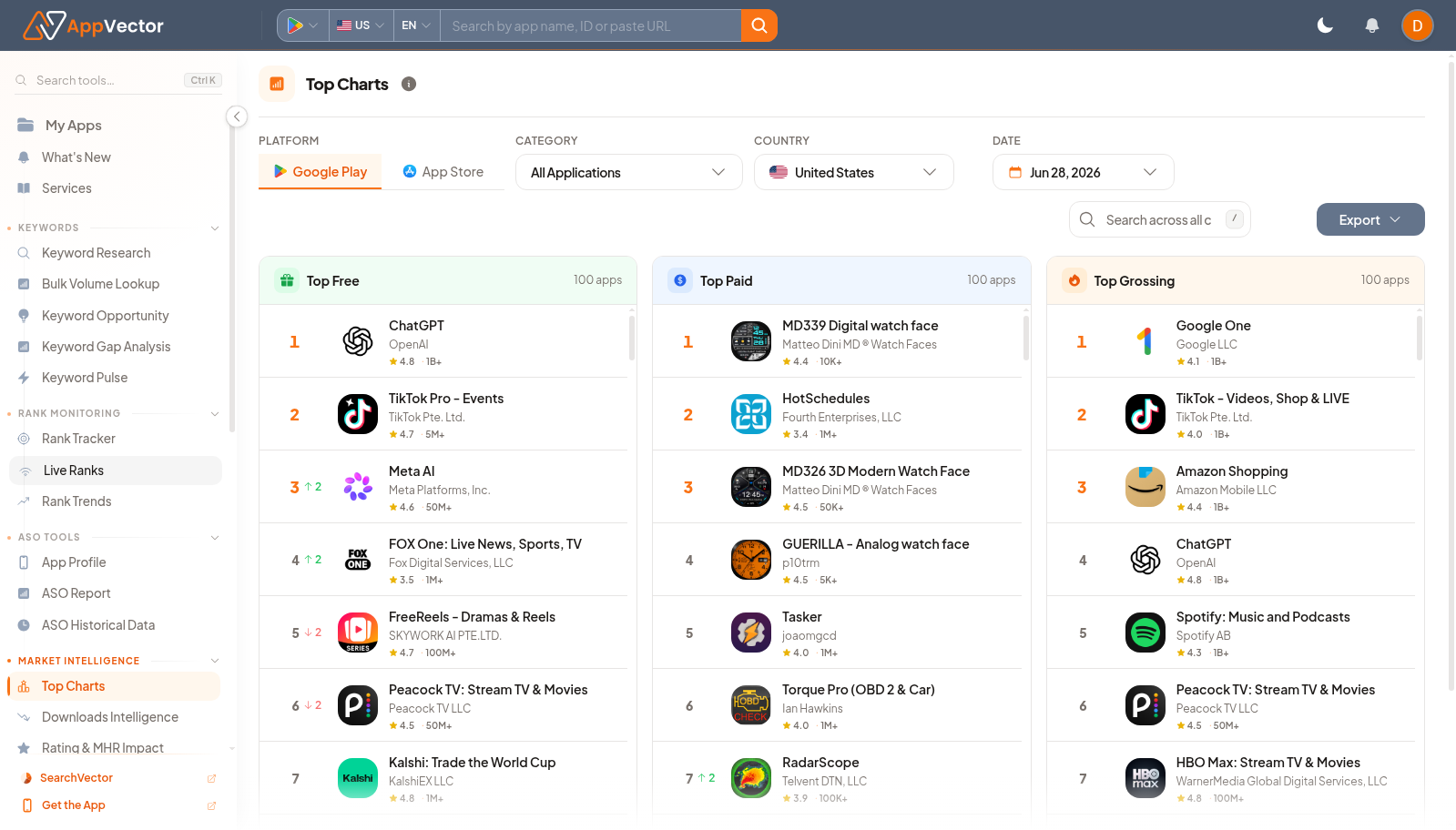
Top Charts shows category ranking context for a selected platform, category, country, and date. It helps teams understand market leaders and category movement.
When To Use It
Use Top Charts when you need to:
-
review top-ranked apps in a category.
-
compare Play Store and App Store chart contexts.
-
check country-specific category leaders.
-
export chart rows for market research
.
Before You Start
Prepare these inputs:
- Platform: choose Google Play or App Store.
- Category: choose the app category.
- Country: select the market.
- Date: choose the chart date.
Work Through The Page
- Open Top Charts from Market Intelligence.
- Choose platform, category, country, and date.
- Review the ranked app list.
- Use Export when you need to share or analyze the chart.
- Open relevant apps in other workflows for deeper review.
Read The Results
The chart is a market snapshot for one platform, category, country, and date. Ranking position is useful only in that context; changing any selector changes the competitive set.
Decide What To Do Next
- Open Discover Android Apps for broader app discovery.
- Use Downloads Intelligence to compare chart position with install movement.
- Open App Profile for apps worth reviewing.
- Track relevant competitors in ASO planning.
Tips
- Record platform, category, country, and date when sharing chart findings.
- Do not compare chart positions across categories without noting the category.