Discover Android Apps
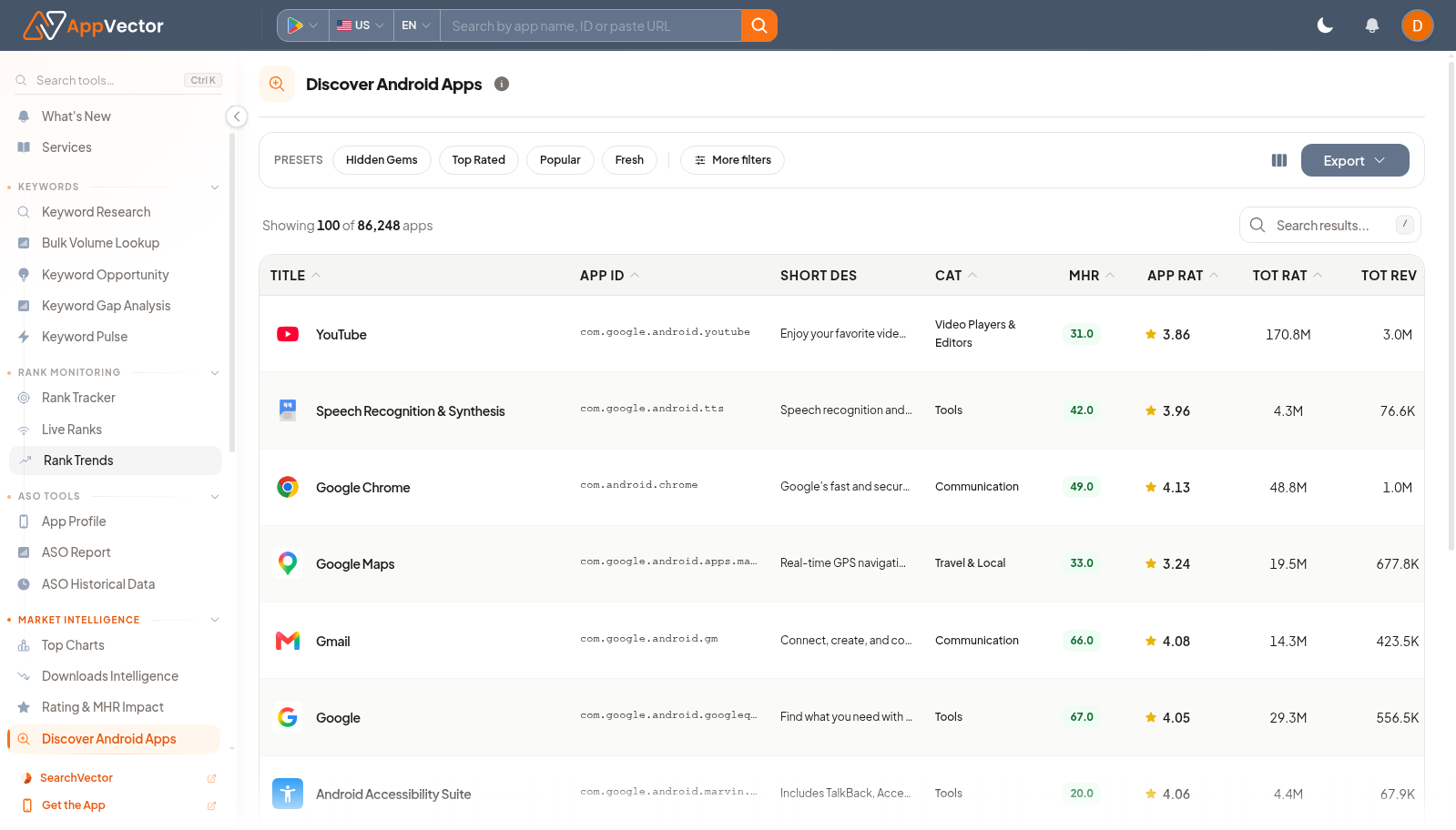
Discover Android Apps is a market discovery page. It helps you find Android apps worth reviewing by using preset discovery modes and filters instead of starting from a known app.
When To Use It
Use Discover Android Apps when you need to:
-
find Android apps in a category or market for research.
-
look for Hidden Gems, Top Rated, Popular, or Fresh apps.
-
build a competitor or inspiration list.
-
export filtered app results for follow-up analysis
.
Before You Start
Prepare these inputs:
- Discovery mode: choose Hidden Gems, Top Rated, Popular, or Fresh.
- Filters: prepare category, country, rating, install, or freshness criteria when needed.
- Research goal: decide whether you need competitors, examples, or market trends.
- Export need: know whether the filtered list should be shared.
Work Through The Page
- Open Discover Android Apps from Market Intelligence.
- Choose a discovery mode such as Hidden Gems or Top Rated.
- Use More filters to narrow the market.
- Review the app list for relevance.
- Click Export when you need to analyze or share the shortlist.
Read The Results
Read results as a discovery shortlist. Presets change the meaning of the list: Hidden Gems focuses on overlooked apps, Top Rated on rating quality, Popular on broad demand, and Fresh on newer apps.
Decide What To Do Next
- Open interesting apps in App Profile for listing review.
- Use Top Charts to compare discovery results against category leaders.
- Add relevant apps as competitors for ASO work.
- Export the list when handing research to another teammate.
Tips
- Start with a preset, then filter; filtering first can hide useful examples.
- Review relevance manually before treating a discovered app as a competitor.