Keyword Rank Tracker
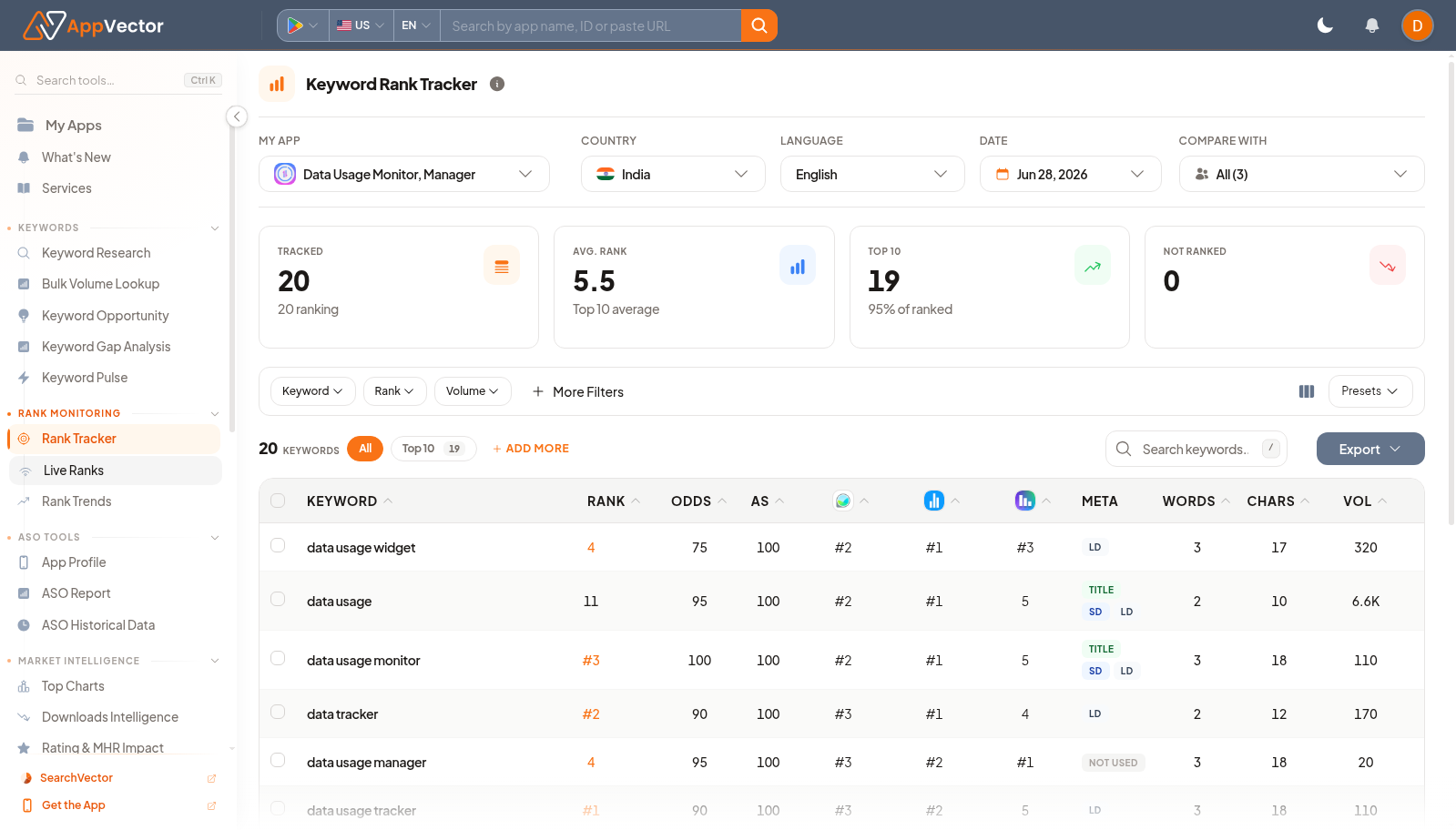
Keyword Rank Tracker is the main tracked-keyword table for an app. It shows rank, odds, App Store signals, metadata usage, phrase length, volume, CPC, and trend context for monitored keywords.
When To Use It
Use Keyword Rank Tracker when you need to:
-
monitor keywords already added for an app.
-
filter tracked keywords by rank, volume, metadata use, or other signals.
-
export keyword rows for reporting
.
-
add more keywords after research or campaign planning.
Before You Start
Prepare these inputs:
- App: select the app being tracked.
- Country and language: choose market context.
- Tracked keywords: make sure the keywords have been added.
- Filter goal: decide whether you are reviewing rank, volume, metadata coverage, or trend movement.
Work Through The Page
- Open Rank Tracker from Rank Monitoring or Keywords from the keyword area.
- Confirm app, country, language, and date.
- Use quick filters such as Keyword, Rank, or Volume.
- Use More Filters or Presets for repeat views.
- Click ADD MORE when new keywords should be tracked, or Export when sharing the table.
Read The Results
Read the table row by row. Rank shows current position, ODDS estimates ranking potential, META shows whether the term is used in metadata, and VOL, CPC, and VOL TREND help you prioritize terms with demand.
Decide What To Do Next
- Open Rank Trends for a time-series view of an important keyword.
- Use Keyword Research to find additional terms.
- Use Store Listing when metadata gaps should become copy changes.
- Export the filtered view for stakeholder reporting.
Tips
- Filter before exporting so the file matches the question.
- Do not judge keywords by volume alone; combine rank, metadata, and relevance.