Keyword Pulse
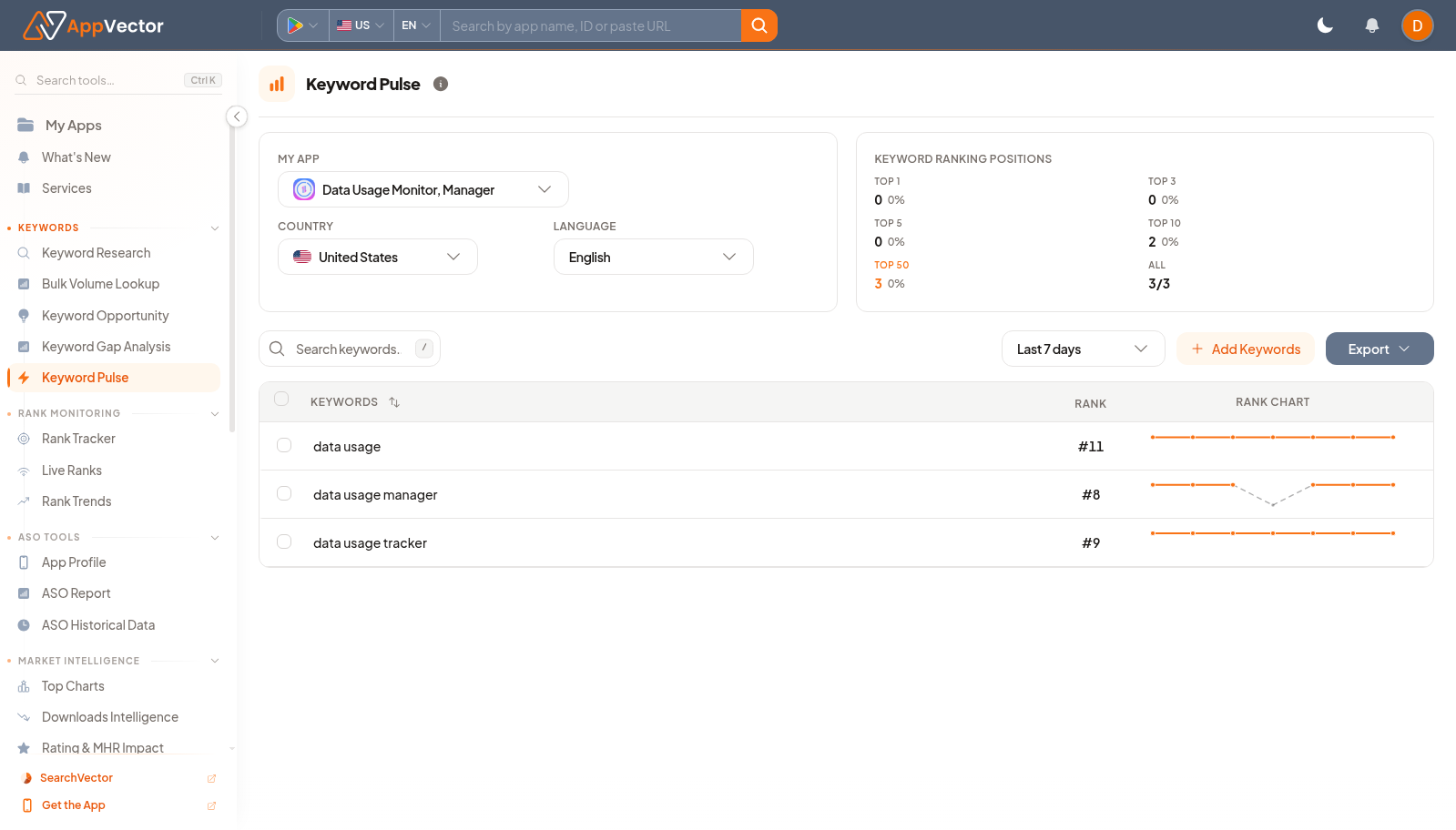
Use Keyword Pulse to monitor the keywords you already care about for one app, country, and language. The page summarizes how many tracked keywords sit in key ranking bands and shows the current rank and recent movement for each keyword.
When To Use It
Use Keyword Pulse to:
- Check whether tracked keywords are moving into top ranking positions.
- Monitor important keywords after metadata, campaign, or release changes.
- See which tracked terms need follow-up in rank analysis or keyword research.
- Export a compact rank snapshot for reporting.
- Add more keywords when a market needs broader tracking coverage.
Before You Start
Confirm the tracking context:
- My App: the app whose tracked keywords you want to monitor.
- Country: the market where ranks should be checked.
- Language: the language for the keyword set.
- Date range: the recent period used for rank movement, such as Last 7 days.
- Tracked keywords: the page is useful only after keywords have been added for the selected app and market.
If the ranking summary is empty, select an app and market first, then add or import keywords before using the page for monitoring.
Monitor Keyword Rank Movement
- Open Keyword Pulse from the Keywords area in the left navigation.
- Select the app, country, and language.
- Choose the date range you want to review.
- Use Search keywords... when the tracked list is large.
- Review the ranking-position summary and keyword table.
Read The Ranking Summary
The Keyword Ranking Positions card groups tracked keywords by their current rank:
- Top 1: keywords ranking in the first position.
- Top 3: keywords ranking in the top three positions.
- Top 5: keywords ranking in the top five positions.
- Top 10: keywords ranking on the first results page range.
- Top 50: keywords still visible but outside stronger rank bands.
- All: total tracked keywords for the selected app, market, and language.
Use the percentages and counts to understand whether the tracked set is improving, flat, or losing visibility. The summary is most useful when the tracked keyword list contains terms that matter to the app's positioning.
Read The Keyword Table
The table shows each tracked term:
- Keywords: the tracked search term.
- Rank: the app's current rank for that term.
- Rank Chart: recent rank movement during the selected date range.
Use the table to separate stable keywords from terms that need investigation. A keyword outside the top ten may need metadata work, broader ASO review, or a different targeting decision depending on volume and relevance.
Add Or Export Keywords
Use Add Keywords when the selected app and market need more tracked terms. Review the app, market, and keyword list carefully before saving changes so the tracked set stays focused on the terms your team actually monitors.
Use Export when you need to copy the current rank snapshot into Sheets or download a CSV for reporting. Export after selecting the right app, country, language, and date range so the output matches the review context.
Decide What To Do Next
After reviewing Keyword Pulse:
- Investigate tracked keywords that dropped out of important rank bands.
- Add missing priority terms from Keyword Research or Keyword Opportunity.
- Use Rank Tracker or Rank Trends for deeper movement analysis when a keyword changes sharply.
- Export the table for recurring reports after confirming the selected market and date range.
- Revisit the tracked list when metadata or campaign priorities change.