Rank Trends
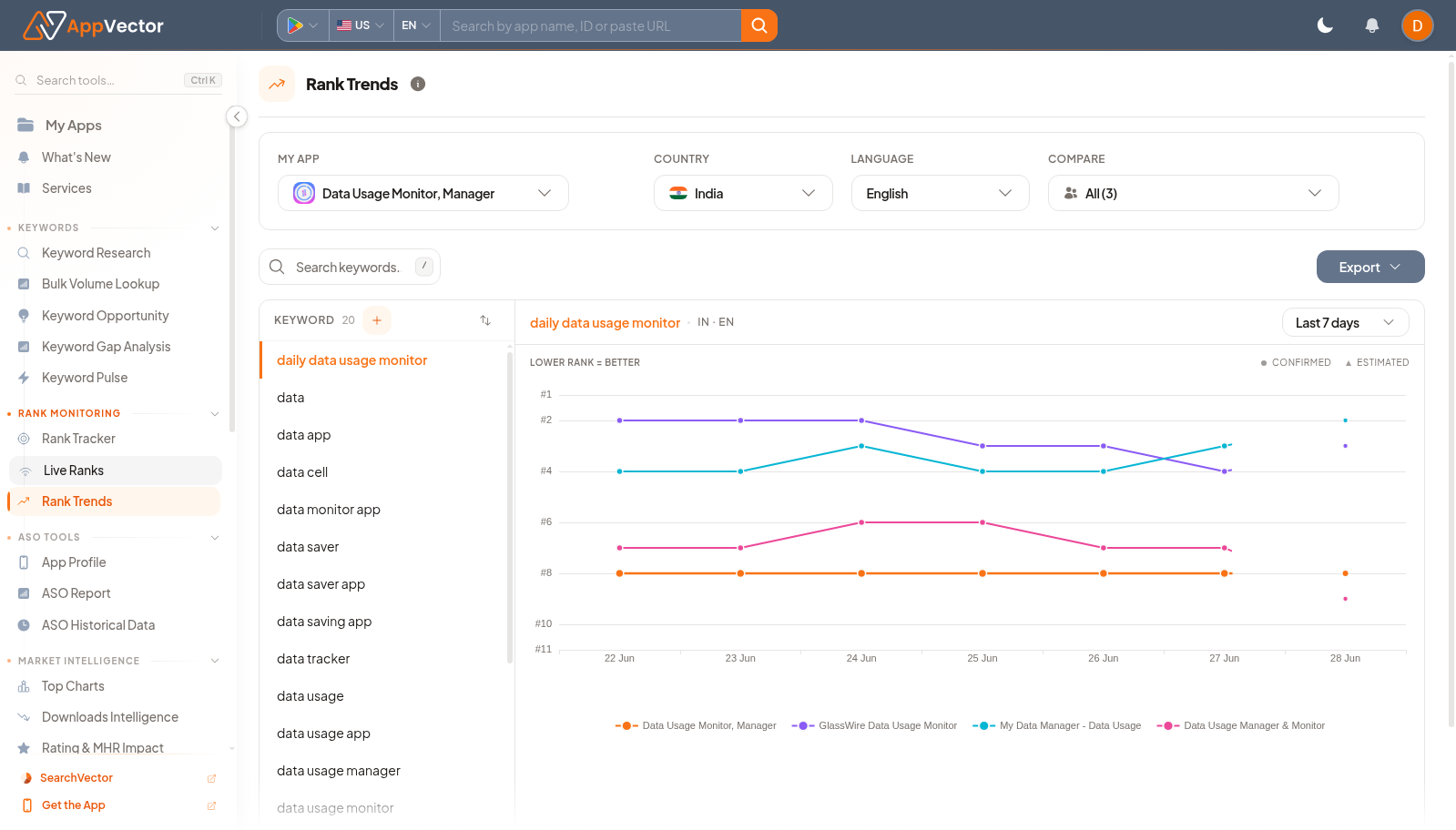
Rank Trends shows how tracked keyword positions move over time. It is the follow-up page for understanding whether rank changes are stable, improving, or declining.
When To Use It
Use Rank Trends when you need to:
-
review rank movement for tracked keywords.
-
compare recent movement across keyword groups.
-
export ranking trend data
.
-
check whether metadata, release, or campaign changes affected ranking.
Before You Start
Prepare these inputs:
- App: select the tracked app.
- Country and language: choose market context.
- Keyword set: choose all keywords or a specific keyword.
- Date window: use controls such as Last 7 days for the trend period.
Work Through The Page
- Open Rank Trends from Rank Monitoring.
- Confirm the app, country, and language.
- Choose the keyword set or specific keyword.
- Use the date control to set the trend period.
- Click Export when the trend needs to be shared.
Read The Results
Use trend direction, volatility, and timing together. A one-day movement may be noise; sustained movement after a metadata or campaign change deserves follow-up.
Decide What To Do Next
- Open Keyword Rank Tracker to inspect the full keyword table.
- Open ASO Historical Data to check whether metadata changed near the rank movement.
- Use Live Ranks for a current search-results check.
- Add or remove tracked keywords if the trend set no longer matches the strategy.
Tips
- Do not act on one spike without checking surrounding days.
- Keep market and language consistent when comparing trends.